
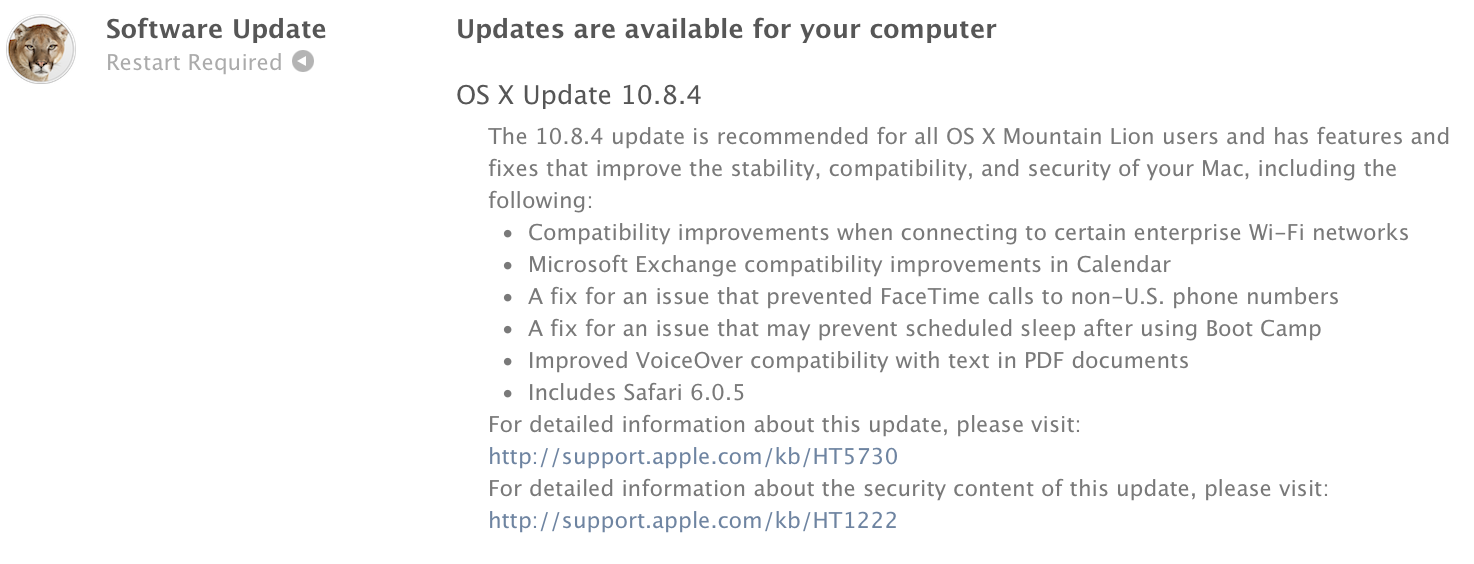
Dupa cateva luni de testare cu dezvoltatorii de aplicatii pentru Mac, compania Apple a lansat in aceasta seara versiunea publica a OS X 10.8.4. Update-ul disponibil din aceasta seara pentru toti posesorii de Mac-uri imbunatateste performantele dispozitivelor, rezolva unele probleme de securitate, creste compatibilitatea cu anumite retele Wi-Fi, imbunatateste functionalitatea Microsoft Exchange in aplicatia Calendar, include Safar 6.0.5 si multe altele:
The OS X Mountain Lion v10.8.4 Update is recommended for all OS X Mountain Lion users and includes features and fixes that improve the stability, compatibility, and security of your Mac, including the following:
- Compatibility improvements when connecting to certain enterprise Wi-Fi networks
- Microsoft Exchange compatibility improvements in Calendar
- A fix for an issue that prevented FaceTime calls to non-U.S. phone numbers
- A fix for an issue that may prevent scheduled sleep after using Boot Camp
- Improves VoiceOver compatibility with text in PDF documents
- Includes Safari 6.0.5, which improves stability for some websites with chat features and games
- A fix for an issue that may cause iMessages to display out of order in Messages
- Resolves an issue in which Calendars Birthdays may appear incorrectly in certain time zones
- A fix for an issue that may prevent the desktop background picture from being preserved after restart
- A fix for an issue that may prevent documents from being saved to a server using SMB
- Addresses an issue that may prevent certain files from opening after copied to a volume named “Home”
- A fix for an issue that may prevent changes to files made over NFS from displaying
- Resolves an issue saving files to an Xsan volume from certain applications
- Improves Active Directory log-in performance, especially for cached accounts or when using a .local domain
- Improves OpenDirectory data replication
- Improves 802.1X compatibility with ActiveDirectory networks
- Improves compatibility when using mobile accounts




















Cred ca in sfarsit au reparat o mare problema si anume problema cu fan-urile. Acum se mai si aud :)). Pana acum declansau la temp foarte mari. Acum insa functioneaza normal!
Cred ca asta tine mai degraba de Firmware-ul Mac-ului decat de OS.
Si eu am avut o problema, se incingea Macul la chestii mai grele (jocuri).
Sunt un proaspat (si fericit) utilizator de osx asa ca nu aveam o solutie si chiar m-am gandit ca daca urca procesorul la 90 grade si nu se sesizeaza… e in parametri.
Am observat ca ventilatorul sta pe la 1800 ture indiferent de situatie.
Apoi am dat un PRAM + SMC reset, nu mai stiu in ce ordine. Vedeti aici detalii http://gigaom.com/2011/07/26/when-to-reset-your-macs-pram-and-smc/
Operatiile de mai sus nu au afectat vreo setare, toate au ramas la locul lor.
Acum ventilatorul si-a dat drumul si tine pasul cu solicitarea procesorului. La 3.800 de ture incepe sa se auda, dar tine temperaturile sub control ~50 grade.
Carcasa de aluminiu ramane la fel de rece ca si cum ar fi oprit, iar eu implicit mai linistit..
Sunt foarte curios de urmatoarea ‘pisica’ 🙂
A observat cineva imbunatatiri pentru rMBP 13 ? Inca nu l-am upgradat pentru ca sunt la servici si am nevoie de laptop.
Din primele mele observatii, se deschid aplicatiile mult mai repede…
Da, prima impresie e ca sistemul se misca mai bine si mai repede. Safari se misca mult mai repede, lagul pare ca a disparut.
salutare .am un mbp 15 si cand am avut 10.6.8 nu imi arata ca este update la os .si a trebuit sa il scot de pe net sa il instalez. acuma am 10.8.3 si nu imi arata 10.8.4 -lea .. cine ma ajuta?
@sly Nu stiu cum sa te ajut.
Mdah, l-au imbunatatit. Safari chiar se misca mult mai bine. Si alte aplicatii, de ex. iPhoto.
Ma intreb cum o sa fie 10.9 cu un ssd sata3 😛
Astia chiar nu se lauda degeaba cu cel mai evoluat os! 🙂
Bravo!
MBP 13, mid 2010 = dupa ascet update parca gestionarea memoriei se face mai bine.
Bateria tine mai bine, safari merge ok…
@Me ai observat alte imbunatatiri dupa acest update inafara de cele mentionate ? sau cei cu mbp 13″ mid 2010 ce alte imbunatiri ati observat ?
[…] OS X 10.8.4 a fost lansat de catre Apple […]