
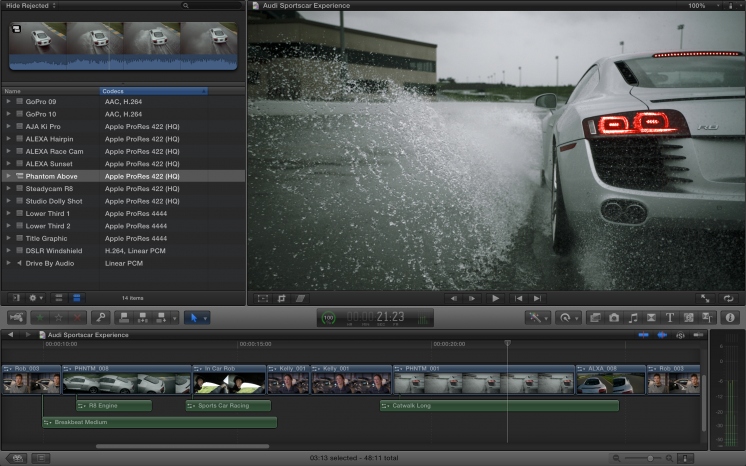
In cursul serii trecute compania Apple a lansat update-uri pentru aplicatiile Final Cut Pro, Aperture si iPhoto, aceste update-uri avand rolul de a face aplicatiile compatibile cu Retina Display-ul disponibil in noul MacBook Pro al companiei americane. Prin aceste update-uri Apple a imbunatatit si performantele aplicatiilor, insa in Aperture a implementat si o lista intreaga de functii noi pe care o aveti detaliata in changelog-ul de mai jos.

This update improves overall stability and is enhanced for the MacBook Pro with Retina display.
Included in versions 10.0.3 and 10.0.4
• Multicam editing with automatic sync and support for mixed formats, mixed frame rates, and up to 64 camera angles
• Broadcast monitoring with third-party PCIe and Thunderbolt I/O devices
• Advanced chroma keying with controls for color sampling and edge quality
• Media relink for manual reconnect of projects and Events to new media
• Ability to import and edit layered Photoshop graphics
• XML 1.1 with support for primary color grades, effect parameters, and audio keyframes
• iPhoto can now open libraries from Aperture 3.3 or later
• AVCHD video is now supported
• The Description field now automatically expands as needed when entering text
• You can now flag a photo in Magnify (1-up) view by clicking a Flag icon displayed in the upper left corner of the photo
• Keywords and titles are now preserved when exporting files with embedded GPS location data
• A new Export option allows you to automatically organize exported photos into subfolders by eventThis update is recommended for all users of iPhoto ’11.
• New unified photo library for both iPhoto (v 9.3 or later) and Aperture; no import/export required; Faces, Places, slideshows, albums and web sharing work across both applications
• Support for AVCHD video has been added
• Aperture now lets you use camera-generated previews for faster browsing of RAW files immediately after import
• Highlights & Shadows tool has been updated to deliver higher-quality results and work with extended range data
• A new Auto Enhance button has been added to the Adjustments panel
• White Balance tool now includes Skin Tone and Natural Gray modes to simplify color balance
• Auto button has been added to the White Balance tool for one-click color balancing
• Set Desktop command has been added to Share menu so you can set a desktop background from within Aperture
• A new Manual option allows you to drag and drop projects to customize sort order in the Projects view
• New preference allows you to set the background brightness of the full screen browser
• Facebook, Flickr, and MobileMe albums are now displayed as thumbnails in the main window when accounts are selected in the source list
• Minor terminology changes, including “Original” instead of “Master” and “Info” instead of “Metadata”
• Source list includes a new “Recent” section, showing Last Import and recently-viewed projects
• Raw Fine Tuning is no longer displayed in the Adjustments panel by default
• Faces can now be named by dragging them from the Unnamed Faces browser to existing snapshots on the corkboard
• The Faces corkboard now includes a menu that allows you to set the order of face snapshots
• Newly designed monochrome source list and toolbar icons
• Addresses numerous issues related to overall performance and stabilityThe update is recommended for all users of Aperture 3.




















Cum o fi sa editezi un video sau o fotografie cu un macbook pro cu retina? Epic. Pacat ca nu exista Vegas si pe Mac.
updateul asta tocmai ce mi-a stricat toata ziua. kernel panic. se pare ca e o problema raspandita. atentie mare inainte de a proceda la update. mai verificati ce spun si altii pe support la apple. au ajuns niste penibili astia. imi produc greata.